Sources
A source is a package repository that ELM mirrors and indexes locally. Once a source is synced, its packages become available as input to content views.
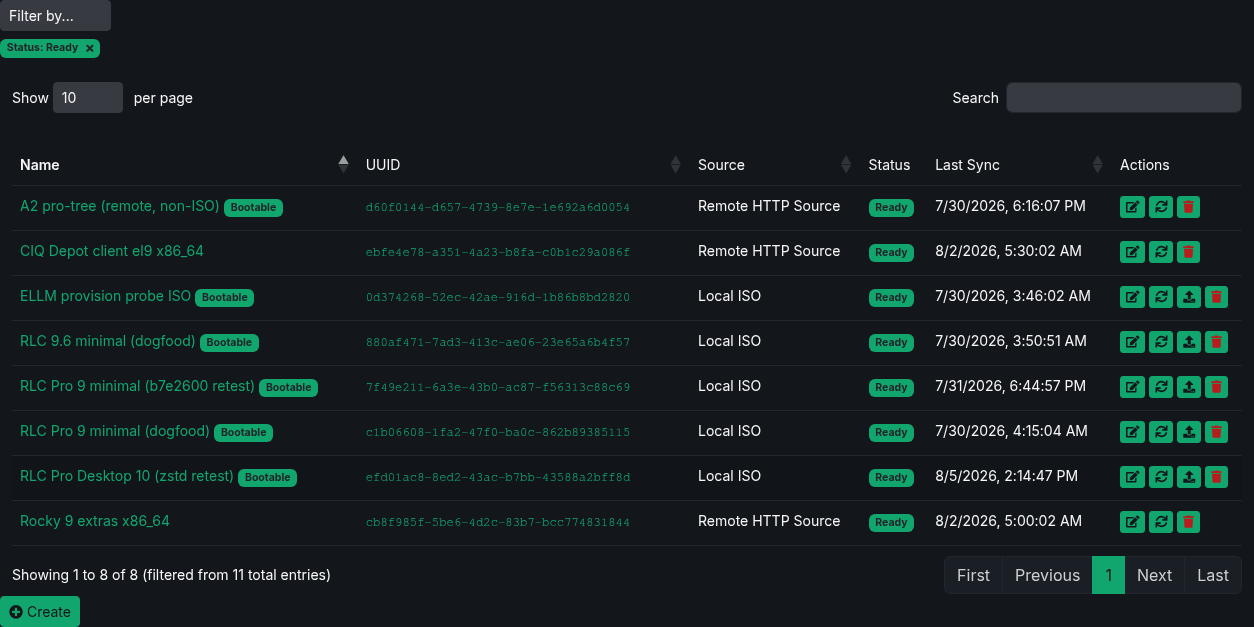
Filtering sources
Use Filter by to narrow the Sources list by Type, Product, Status, or Bootable. You can combine one value from each category. Active filters appear below the selector; remove a filter to show the matching sources again.
Source types
| Type | Description |
|---|---|
| Remote | Mirror a standard yum/dnf repository from an HTTP(S) URL. The URL must serve repository metadata (repodata/repomd.xml); arbitrary file trees are not supported. Optional username and password for protected repositories. |
| Rsync | Mirror from an rsync endpoint, such as an internal mirror in an air-gapped environment. |
| ISO | Upload an installation ISO; ELM extracts its contents into a local repository. |
| CIQ Depot | Select a product and repository from the CIQ Depot catalog. Requires the Depot integration and your Portal/Depot credentials - see Integrations. |
Creating a source
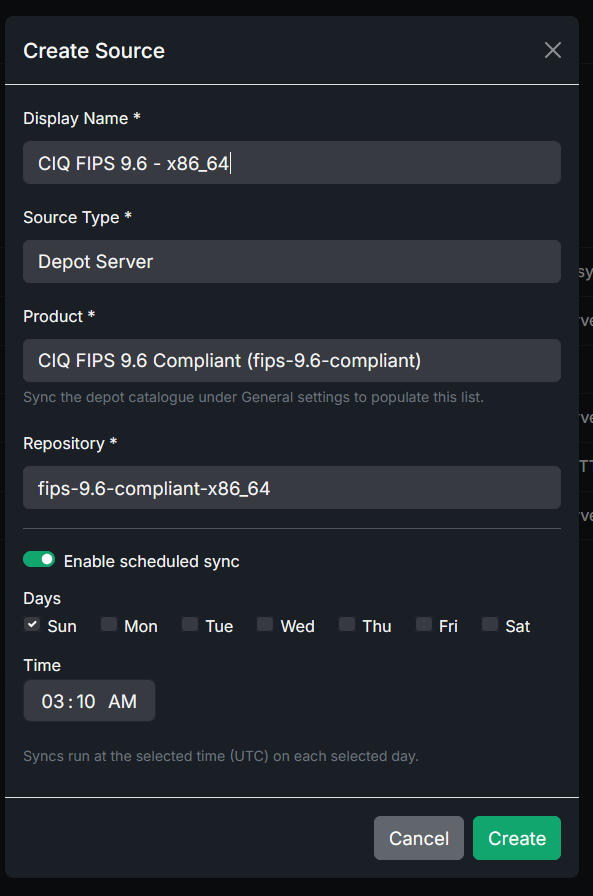
- Go to Sources and choose Create Source.
- Give the source a name and pick its type.
- Provide the type-specific details:
- Remote: the repository URL, plus an optional username and password. Credentials are encrypted at rest.
- Rsync: an
rsync://location, plus an optional username and password. - ISO: the ISO file to upload.
- Depot: the product and repository from the catalog.
- Optionally configure a sync schedule (see below).
- Save. The source is created in a
pendingstate and a sync begins.
Sync status and verification
Each source shows its current status:
- pending - created, waiting to sync.
- syncing - a sync is in progress.
- ready - successfully synced and available to content views.
- error - the last sync failed; check the details.
Downloaded RPMs are verified with SHA-256 checksums against the repository metadata. Re-syncs are additive and resumable: package files ELM already has with the expected checksum are skipped, and only new or changed packages are downloaded. As a safety limit against runaway mirrors, a single sync downloads at most 200,000 files.
ELM runs source garbage collection once per day, at 03:00 UTC by default. It removes package files that have disappeared from the current upstream metadata and are not referenced by a retained content-view snapshot or an active pin rule. Garbage collection skips sources that are syncing, participating in a compose, or do not have readable repository metadata.
Change the cleanup hour under Settings → General. Size storage for the current mirrors, retained snapshots, and normal growth between cleanup runs.
Browsing packages
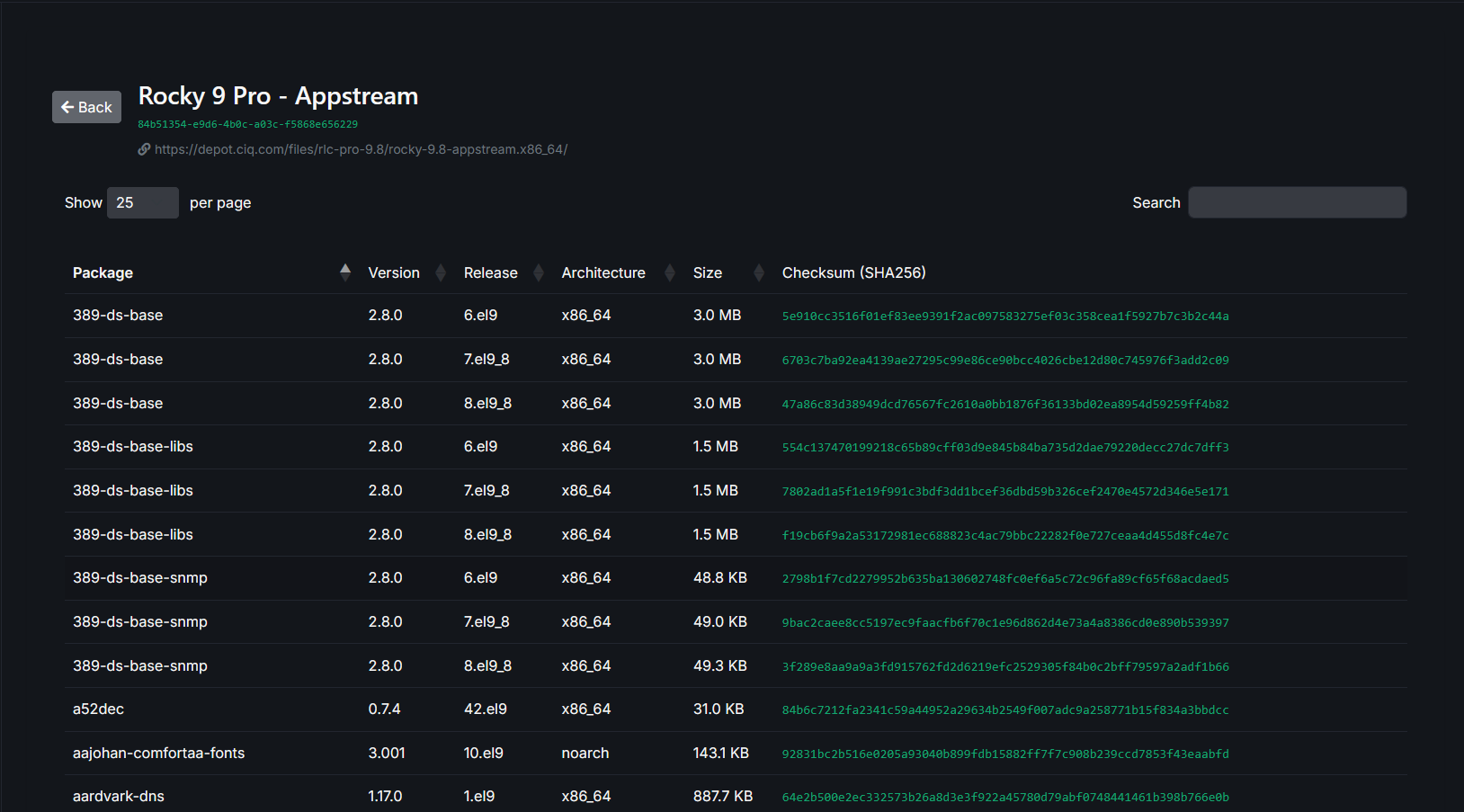
Open a source to browse the individual packages it contains, including package name, version, release, architecture, and checksum.
Scheduling automatic syncs
Sources support automatic re-syncs on a weekly schedule.
- Enable scheduled sync on the source.
- Choose the days of the week and a time of day. Schedule times are in UTC.
At each scheduled time ELM re-syncs the source, downloading new or changed packages.
Related
- Use synced sources as input to content views.
- Configure the Depot catalog under Integrations.
- Ingest content offline with ISO and rsync sources: Air-gapped considerations.