Content views
A content view is a curated repository composed from a single upstream input: either a source or another content view. Content views let you filter which packages are included, pin versions, add your own custom RPMs, and publish the result as a browsable, versioned repository.
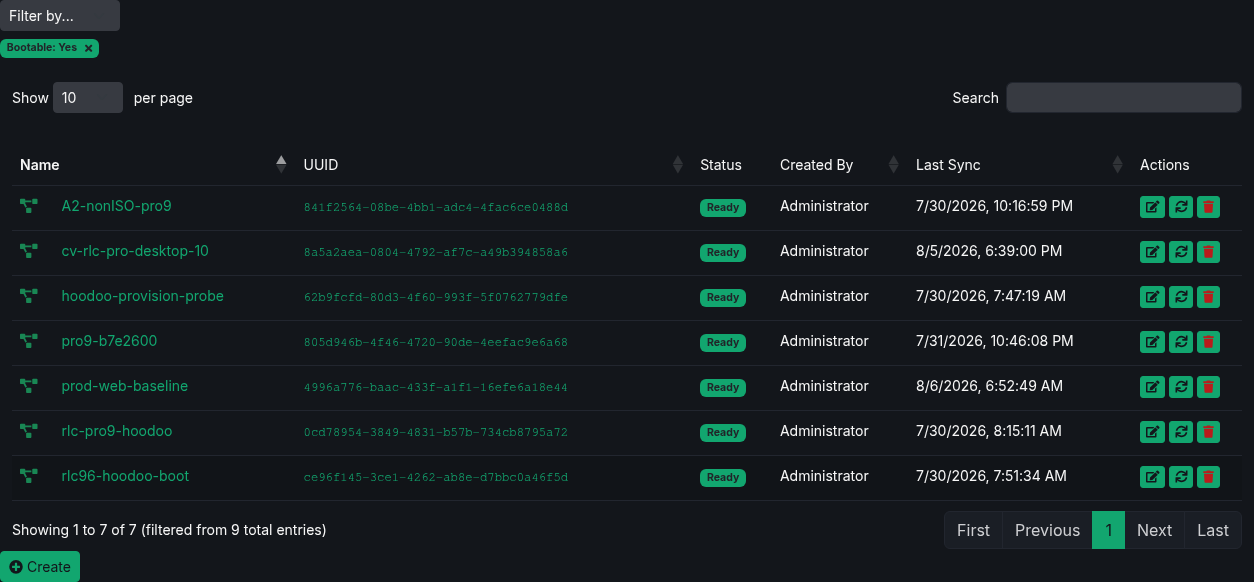
Filtering content views
Use Filter by to narrow the Content Views list by Built from, Created By, or Bootable. You can combine one value from each category. Active filters appear below the selector; remove a filter to show the matching content views again.
Why use content views
- Curate exactly which packages your hosts can install.
- Pin package versions so hosts get consistent, tested software.
- Add custom or in-house RPMs alongside upstream packages.
- Version every publish so you can roll back to a known-good state.
- Restrict access to a published repository with HTTP Basic authentication.
- Prioritize repositories when a host receives overlapping packages.
- Sign metadata with an OpenPGP key.
One input per view, chained for promotion
Each content view composes from exactly one input: one source, or one upstream content view. To aggregate multiple repositories, create one content view per source and assign them all to your hosts.
Chaining views is how you model promotion between environments. For example, a prod view can compose from a dev view, optionally pinned to a specific dev snapshot version - so production only advances when you re-compose prod against a tested version.
Creating a content view
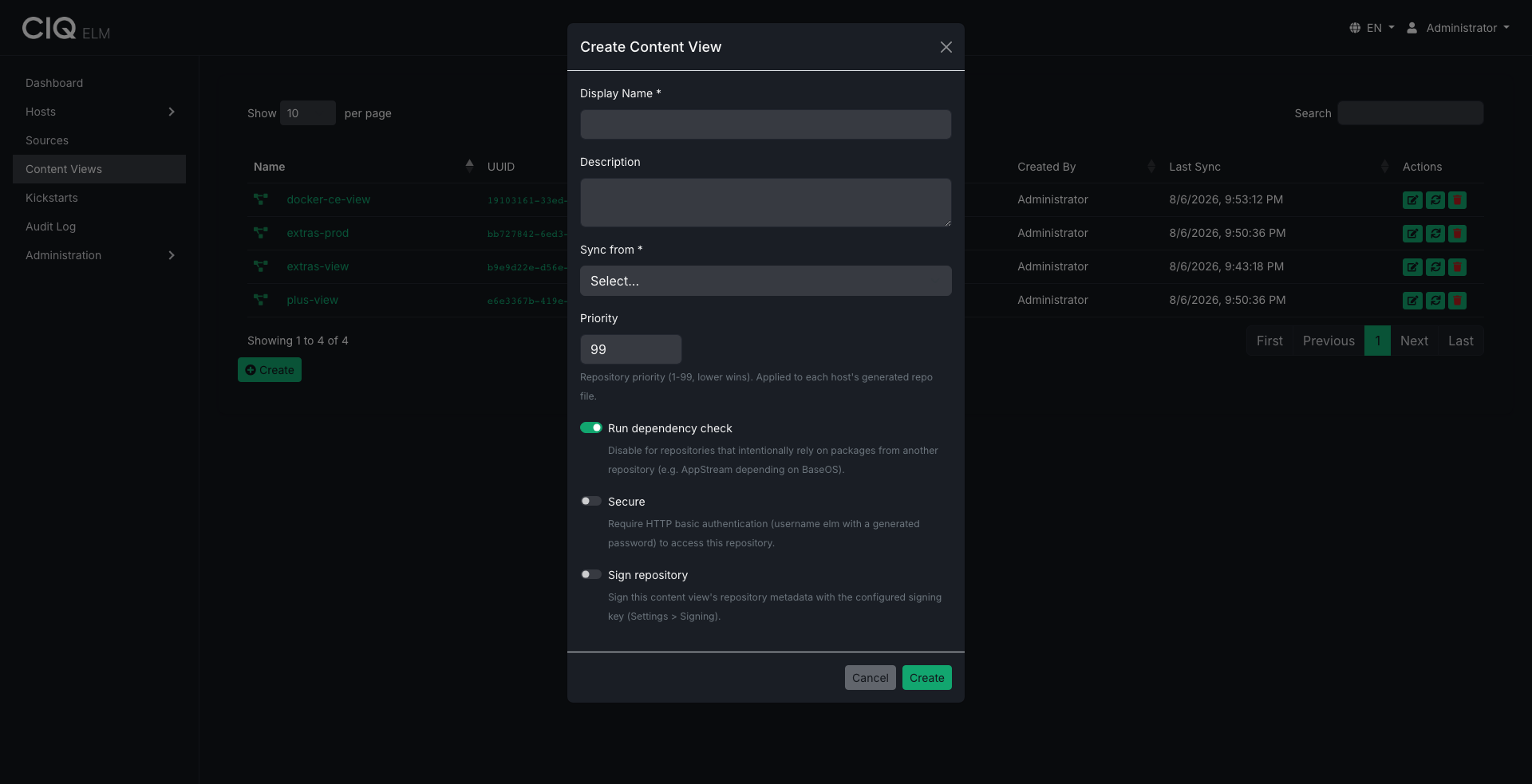
- Go to Content Views and choose Create Content View.
- Provide a name and optional description.
- Choose the input: a source or another content view.
- Optionally pin to a specific upstream version (snapshot), or leave it on latest.
- Set options:
- Priority - a value from 1 to 99. Lower values win when assigned repositories offer the same package.
- Secure - require HTTP Basic authentication to pull from the published repository. CIQ ELM manages the repository password, and the agent supplies the credentials to assigned hosts automatically.
- Sign repository - sign repository metadata with the key configured under Settings → Signing.
- Dependency check - run a
dnf repoclosurecheck after composing and report unresolved dependencies as warnings.
- Save.
ELM determines whether the result is bootable during composition by locating an installer kernel and initrd in the source tree. Bootable content is not a manual setting.
Filtering rules
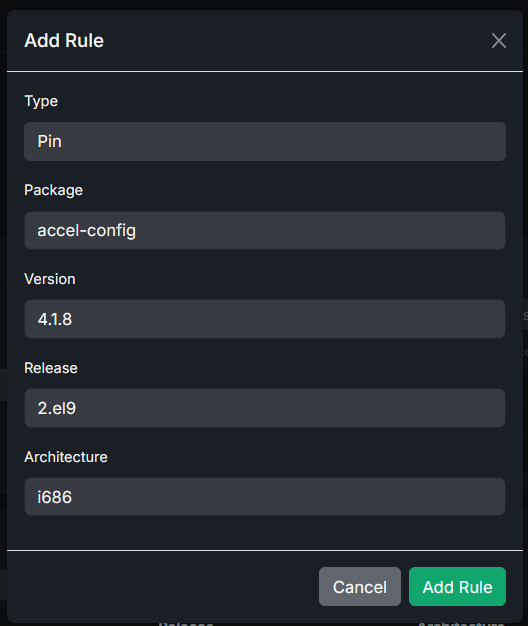
Content views apply rules during composition:
- Pin a package, optionally to a specific version, release, and architecture, with comparison operators for version matching.
- Exclude a package (again optionally by name, version, release, and architecture) so it never appears in the published repository.
Add rules to shape the final package set to exactly what your hosts should see. Active pin rules also protect their referenced packages from source garbage collection.
Custom package uploads
You can upload your own RPMs into a content view. Uploaded packages are included in the published repository alongside the filtered upstream packages.
Composing
Composing builds the published repository:
- ELM selects the upstream packages and applies your pin/exclude rules.
- It adds any custom uploads.
- It links the selected packages into the published tree using hard links - packages are not copied, which keeps composes fast and storage-efficient.
- It regenerates the repository metadata with
createrepo_c. - If dependency checking is enabled, it runs
dnf repoclosureand records any unresolved-dependency warnings.
While composing, the view shows a composing status; when finished it becomes ready (or error if something failed). The published repository is served at /repos/<uuid>/.
When ELM detects a bootable view, it carries through non-package installer files such as EFI/, isolinux/, and distribution GPG keys so the published tree remains usable for installation.
Dependency-check results are advisory warnings, not gates: a view with warnings still publishes. Review warnings before assigning the view to production hosts.
Repository signing and access
Secure and Sign repository are independent controls:
- Secure requires HTTP Basic authentication. The agent supplies the managed credential to assigned hosts.
- Sign repository creates a detached signature for
repodata/repomd.xmland publishes the public key asgpgkey-elm. The agent imports the key and enablesrepo_gpgcheck=1.
Configure or generate the OpenPGP key under Settings → Signing before enabling signing. Signing verifies repository metadata, not individual RPM signatures. Agent-managed repository files continue to use gpgcheck=0 for RPM packages. See Settings and signing.
Versions and rollback
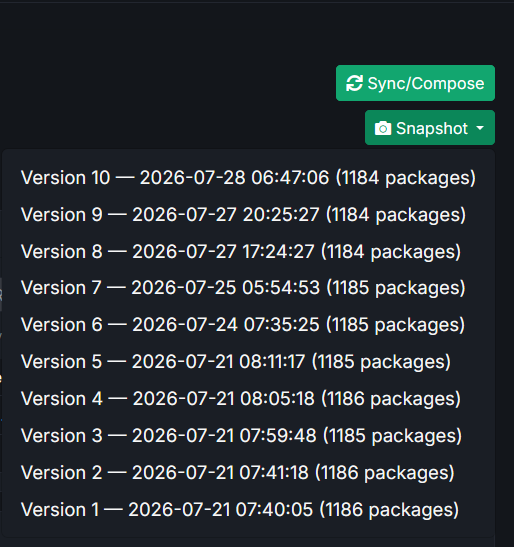
Every successful compose creates an immutable snapshot with an auto-incrementing version number. If a new compose introduces a problem, roll back to an earlier version: ELM restores that snapshot and regenerates the repository.
ELM retains 10 snapshots per content view by default. Administrators can set retention from 2 to 20 under Settings → General. Snapshots pinned by downstream content views are retained even when they fall outside that window.
Publishing to hosts
Assign one or more content views to a host group. The agent configures the host's package manager to use all inherited, ready repositories and applies each view's priority. Secure and signed views receive the required credentials and public key automatically.
Related
- Bring in packages via Sources.
- Serve bootable content views during Provisioning.