Authentication
ELM supports three ways for users to sign in: local accounts, LDAP, and SAML 2.0. Directory-based methods can automatically place users into teams based on group membership.
Authentication providers are configured by an administrator under Settings → Authentication. Test actions let you validate a configuration before enabling it.
Local accounts
Local users have a password stored securely in ELM. Sign in with your username and password on the login page. Administrators create and manage local users under Users.
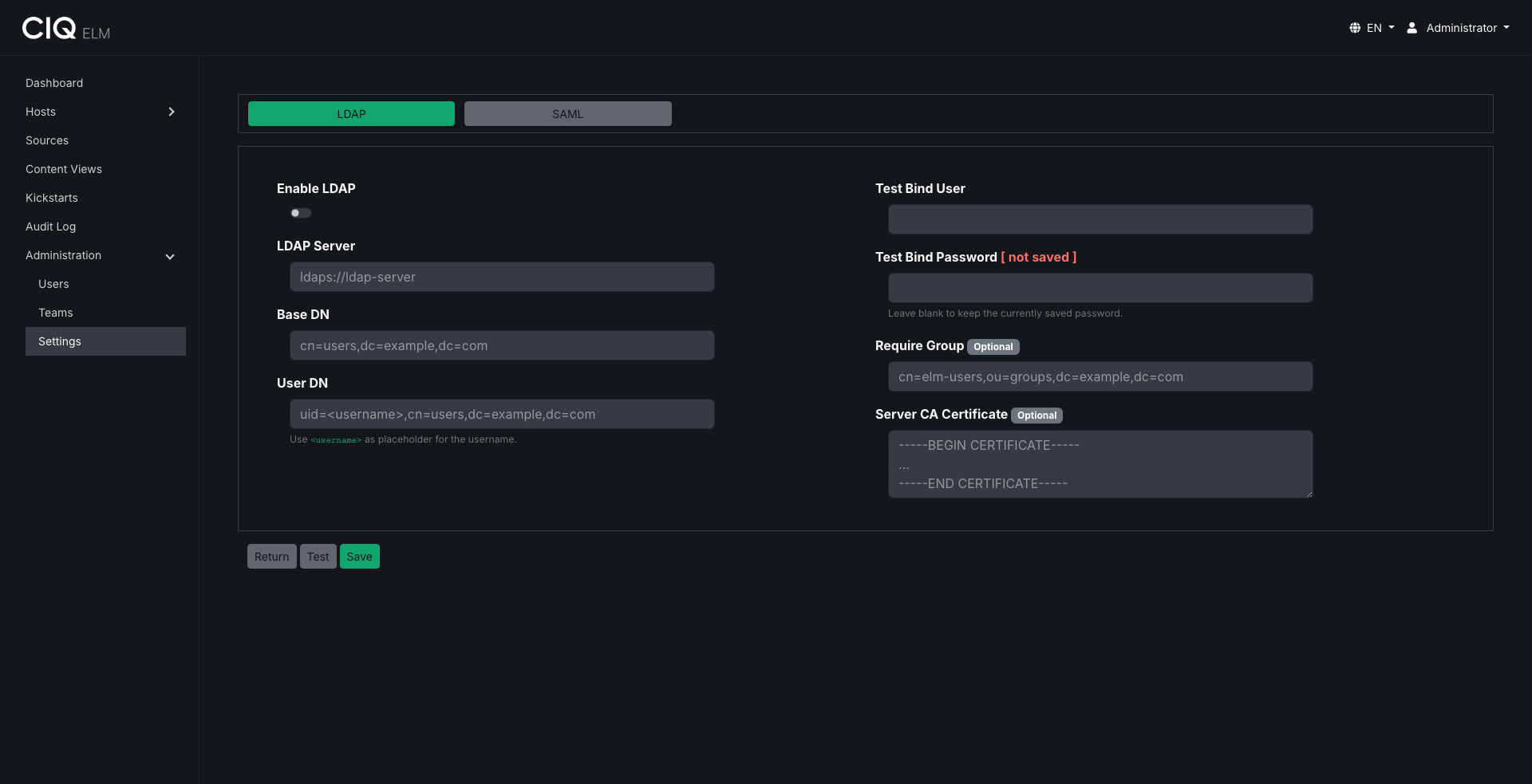
LDAP
With LDAP configured, users sign in with their directory credentials.
- ELM authenticates against your LDAP or Active Directory server. Configuration covers the server URL, base DN, user DN template, an optional bind account, and TLS/StartTLS options.
- Sign-in can optionally be restricted to members of a specific group.
- Users who belong to an LDAP group mapped to a team are automatically added to that team, inheriting its permissions.
SAML 2.0
With SAML configured, ELM acts as a Service Provider and delegates authentication to your identity provider (IdP).
- Configuration covers the service provider entity ID and ACS URL, IdP metadata, and signing/encryption options.
- Choosing SAML sign-in redirects the user to the IdP to authenticate; after a successful assertion, ELM signs them in.
- Users in a SAML group mapped to a team are automatically added to that team.
- Single Logout is supported where the IdP provides it.
Sessions
After signing in, ELM issues a secure, encrypted session cookie. Sessions last up to 7 days. Changing your password invalidates existing sessions, requiring a fresh sign-in.
Related
- Map directory groups to teams under Users, teams, and permissions.
- Authenticate API requests with a session or HTTP Basic auth: API.