Provisioning
Provisioning installs Enterprise Linux onto a machine over the network using iPXE boot and a templated kickstart. CIQ ELM serves the boot script, the installer repository, and the rendered kickstart to hosts you flag for installation.
How it works
- A machine network-boots. DHCP and TFTP hand it an iPXE binary, and iPXE requests the ELM provisioning endpoint, keyed by the machine's MAC address.
- If the matching host is flagged for provision and has an applicable kickstart and a bootable content view, ELM returns an install script.
- If the host is not flagged, ELM tells iPXE to boot from the local disk.
- The installer fetches the rendered kickstart and pulls packages from the bootable content view's published repository.
- When ELM serves the install script, it clears the one-shot provision flag and records the status as started. The next network boot uses the local disk. The new agent check-in marks the provision complete.
ELM serves the provisioning workflow after a machine starts a network boot. Configure the machine's boot order and use your existing power-management process to start or restart it.
Prerequisites
To provision a host you need:
- A ready content view in which ELM detected an installer kernel and initrd during composition.
- A kickstart assigned to the host, typically via its host group.
- The host flagged for provisioning (see Hosts and groups).
- Network boot infrastructure - DHCP and TFTP that point PXE clients at ELM.
Network boot infrastructure
The elm-server service can run optional DHCP and TFTP containers. Enable them with ENABLE_DHCP=true and ENABLE_TFTP=true in /etc/elm-server.conf, then review the DHCP_* network settings. ELM_SERVER is required when DHCP is enabled and must be a URL that provisioning clients can reach. See Installation.
If your network already provides DHCP and TFTP, configure those services to chain-load iPXE against ELM instead.
The TFTP service carries iPXE binaries for multiple architectures, including Secure Boot shim chains for x86_64 and arm64, so machines with Secure Boot enabled can network-boot without disabling it.
Kickstarts
A kickstart is a templated Enterprise Linux installer script. ELM fills in per-host values and repository URLs at install time, so one kickstart can serve many machines.
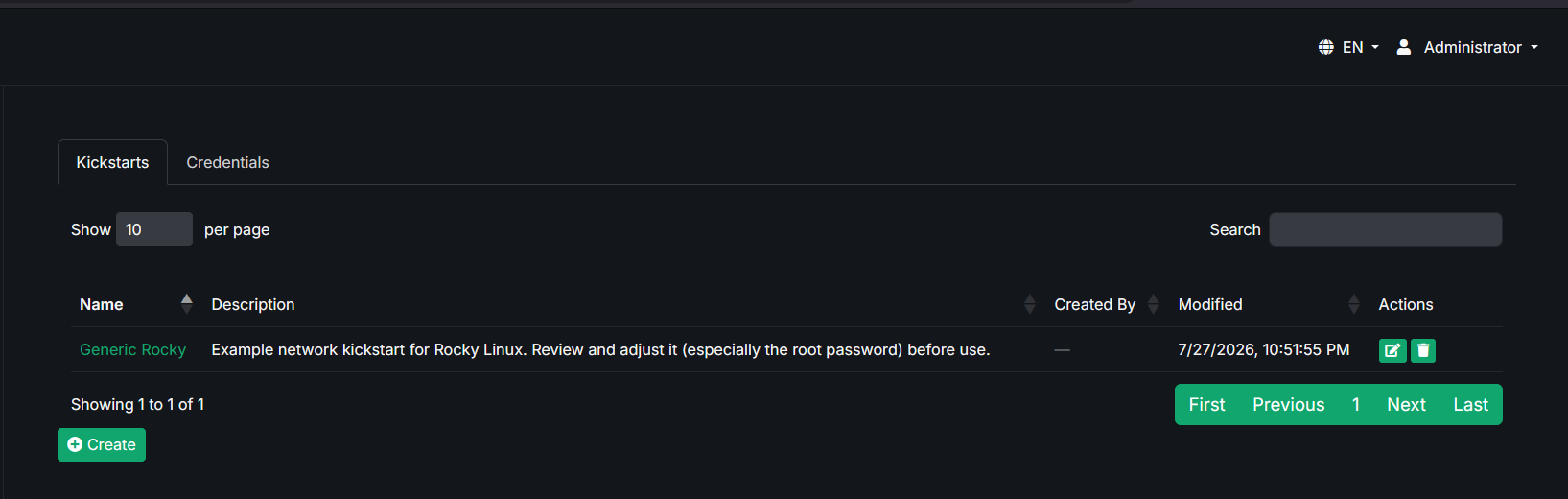
Creating a kickstart
- Go to Kickstarts and choose Create Kickstart.
- Give it a name and optional description.
- Write the kickstart script, using substitution tokens where you want ELM to fill in values.
- Save, then assign the kickstart to a host group.
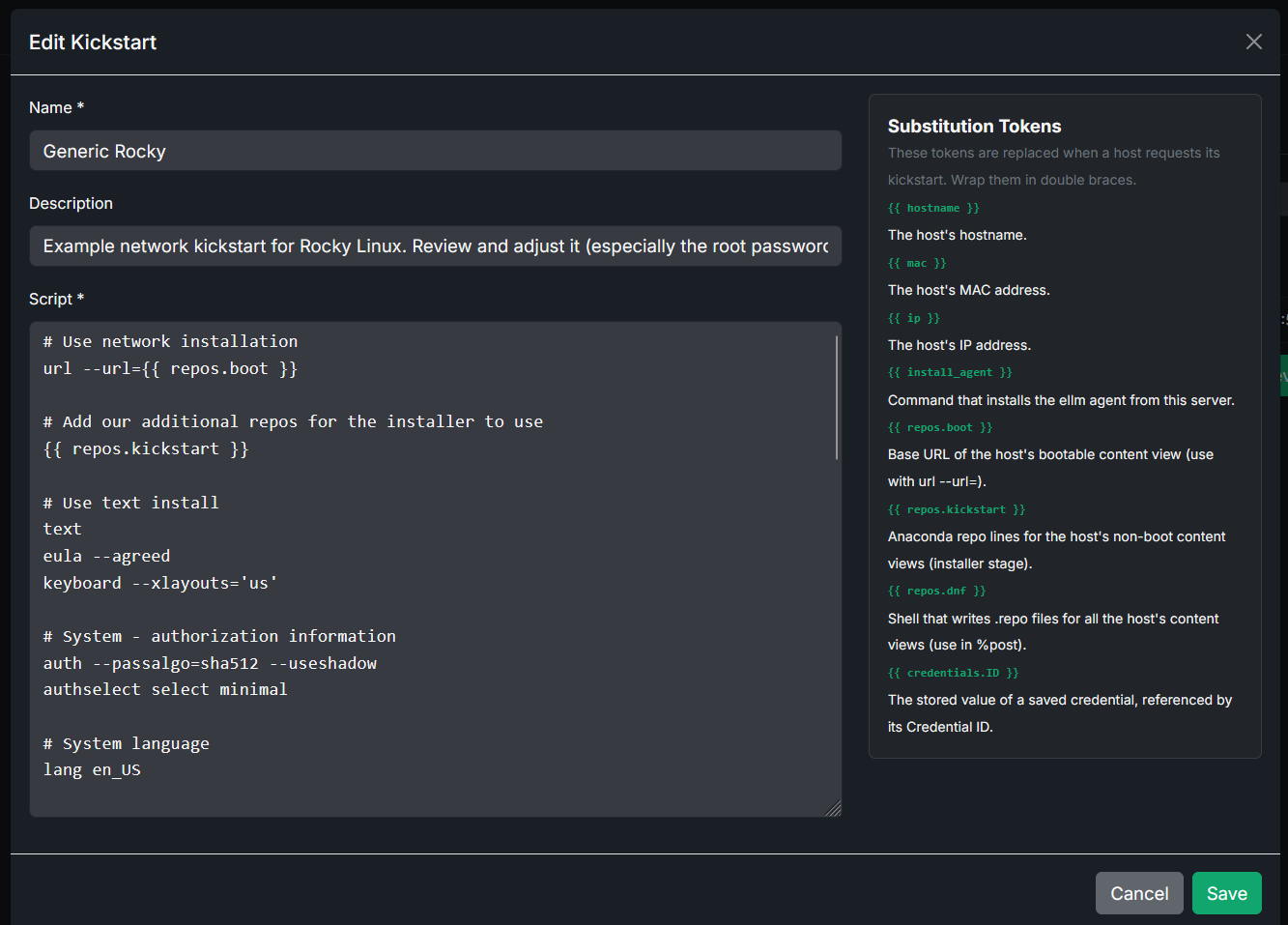
Substitution tokens
ELM replaces the following tokens when it serves the kickstart to a booting host:
| Token | Replaced with |
|---|---|
{{ hostname }} | The target host's hostname. |
{{ mac }} | The target host's MAC address. |
{{ ip }} | The target host's IP address. |
{{ install_agent }} | A command that installs the ELM agent from this server. |
{{ repos.boot }} | The boot/installer repository URL for the first assigned bootable content view. |
{{ repos.kickstart }} | Anaconda repo lines for assigned non-bootable content views. |
{{ repos.dnf }} | A shell block that writes dnf/yum repository files for all assigned content views. |
{{ credentials.<var_id> }} | The value of a stored credential, by its variable ID. |
The credentials vault
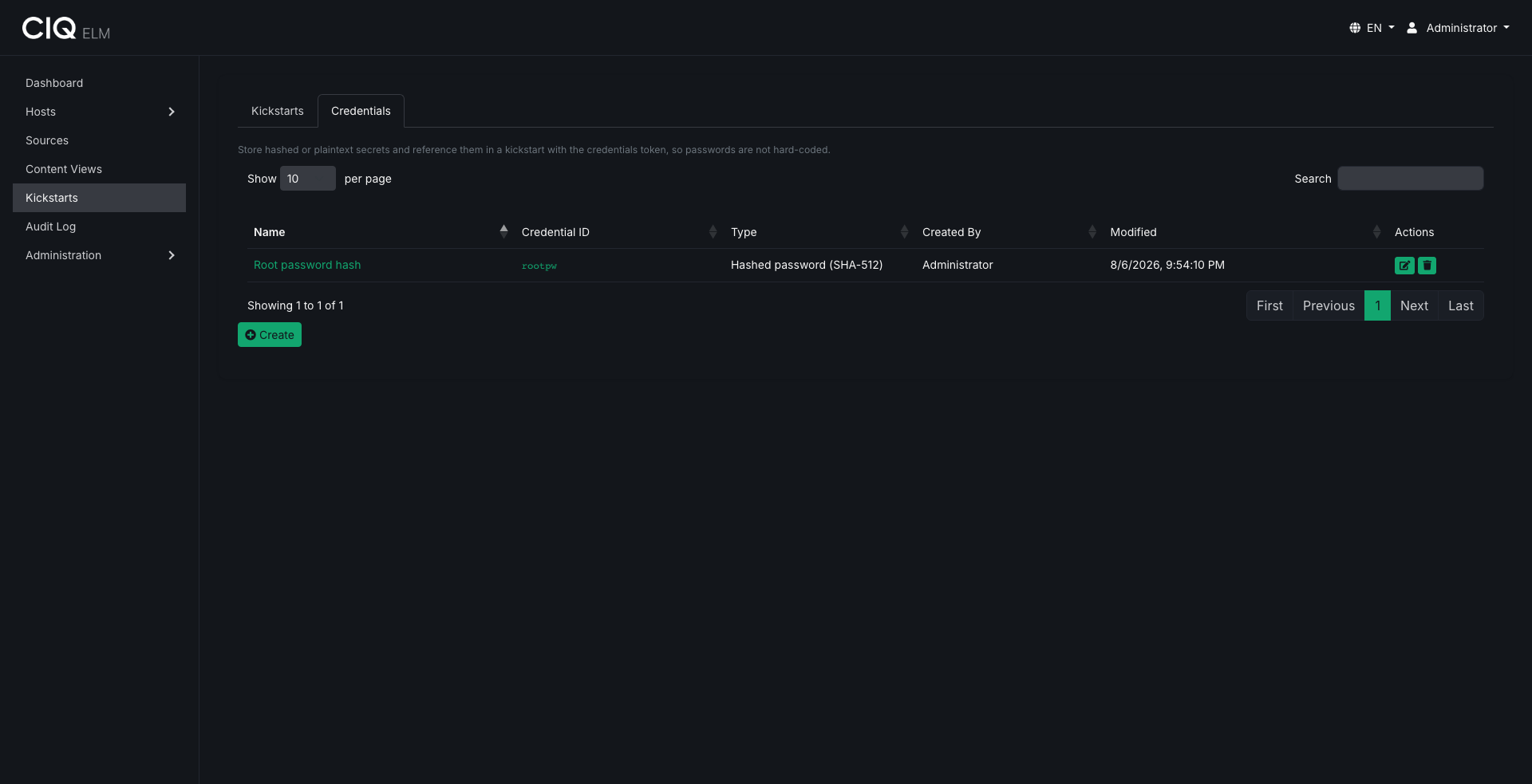
Credentials are named secrets injected into kickstarts at install time, keeping sensitive values, such as a hashed root password, out of the kickstart script itself.
| Type | Description |
|---|---|
| hash512 | Stored as a SHA-512 crypt hash, suitable for password fields in a kickstart. |
| hash256 | Stored as a SHA-256 crypt hash. |
| plaintext | Stored encrypted at rest and injected verbatim. |
Hashed credentials are one-way: ELM stores the hash, not the original value. Plaintext credentials are encrypted at rest and decrypted only when rendering a kickstart. The UI never displays a stored value back to you - it only indicates whether a value is set.
To create one, open Credentials, choose Create Credential, and provide a name, a variable ID (the token you reference in a kickstart), the type, and the value. Then reference it in a kickstart script:
rootpw --iscrypted {{ credentials.root_password }}
Credentials are governed by the same permission as kickstarts (kickstarts.manage). See Users, teams, and permissions.
Flagging and monitoring
- Flag a host for provisioning from the Hosts page. The flag is keyed to the host's MAC address.
- The host's provision status reflects where it is in the process.
- An outstanding request expires after 6 hours by default. Administrators can set the timeout from 1 to 168 hours under Settings → General. ELM checks for expired requests every 5 minutes.
- Serving the install iPXE script clears the flag and sets the status to started. The first check-in from the newly installed agent sets the status to complete.
Related
- Serve installer packages from a bootable content view.
- Organize target machines in Hosts and groups.