Integrations
CIQ Enterprise Linux Manager (ELM) uses CIQ Depot for package content, launches Ascender job automation, and stores Ascender Ledger connection settings for environments that use Ledger for infrastructure, package, errata, and security visibility. Administrators configure these integrations under Settings → Integrations, and ELM encrypts stored passwords at rest.
CIQ Depot
The Depot integration lets you browse the CIQ Depot product catalog and create sources directly from it.
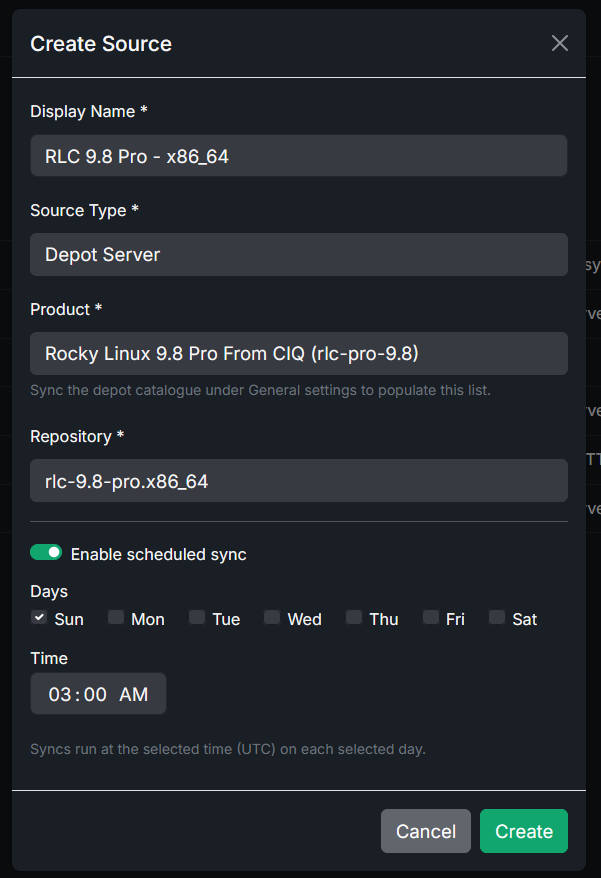
- Configure the Depot URL and your Portal/Depot credentials under Settings → Integrations.
- Sync the catalog to fetch the available products and repositories.
- When creating a source, choose the Depot type and pick a product and repository from the catalog.
Ascender
The Ascender integration lets you launch automation, including job templates and workflow job templates, against selected hosts from within ELM.
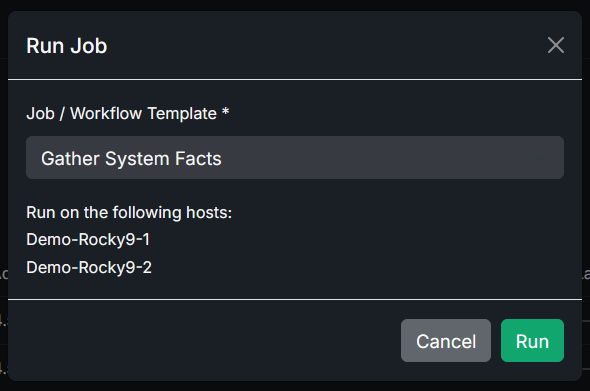
- Configure the Ascender URL and credentials under Settings → Integrations.
- Sync to fetch job templates and workflow job templates that are configured in Ascender to prompt for a host limit at launch.
- From the Hosts page, launch a template against the hosts you select. ELM passes the selected hosts as the job's host limit.
- If a template uses an Ascender survey, ELM presents the survey in the launch dialog and sends the answers as extra variables. Re-sync after changing a survey in Ascender.
- ELM tracks the launched job's status (pending, running, successful, failed) and shows which hosts a job is running against.
Passwords entered for Ascender survey questions are sent to Ascender but are not written to the ELM audit log.
Ascender Ledger
Ascender Ledger Pro collects and analyzes host, package, change, service, errata, and CVE data across Enterprise Linux environments. Use it alongside ELM when you need compliance reporting, vulnerability context, and infrastructure history in addition to repository lifecycle management.
Under Settings → Integrations, provide the Ascender Ledger URL and, when required, its HTTP Basic username and password. ELM stores the password encrypted at rest.
Related
- Use Depot as a package source in Sources.
- Target automation at machines listed in Hosts and groups.
- Review errata, CVEs, and infrastructure history in Ascender Ledger Pro.