Executing an OpenFOAM Motorbike Simulation
The instructions on this page will show you how to execute the OpenFOAM motorbike tutorial from the workflow catalog template with the Fuzzball web UI and CLI. For both methods you can choose a number of parameters.
- The workflow template uses an ephemeral
ScratchVolumeto run the simulation. In addition, you provide a persistentDataVolume. If provided, the case folder will be saved in theResultsPathdirectory on the persistent volume. - If you provide an
S3BucketandS3Secret, a tar archive of the case folder will also be saved to AWS S3 as part of the egress stage of the workflow. - You can separately choose the resources used for the serial steps of the workflow
(
UtilityJobCores,UtilityJobMemory), the parallel steps (SimulationOrMeshJobCores,SimulationOrMeshJobMemory,SimulationOrMeshJobNodes) and the optional Paraview server step (ParaviewCores,ParaviewMemory). - You can choose the
Coefficientsused inDecomposeParDict. - If you provide the URI for a Paraview container (
ParaviewContainerUri), a Paraview server will be started at the end of the workflow. You can use a Paraview client to connect to the server with port forwarding to visualize the results.
Please select either the web UI or CLI tab to see the appropriate instructions for your environment.
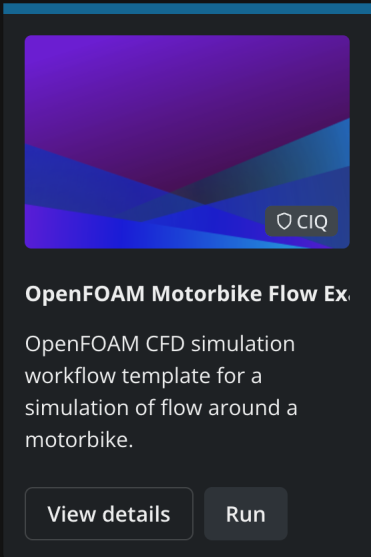
You can run the OpenFOAM motorbike workflow template from the workflow catalog page by locating the OpenFoam motorbike card with the CIQ badge and clicking "Run":
You will be prompted to supply values for the configurable parameters of the template. You can examine all the options and their documentation in the option dialog box:
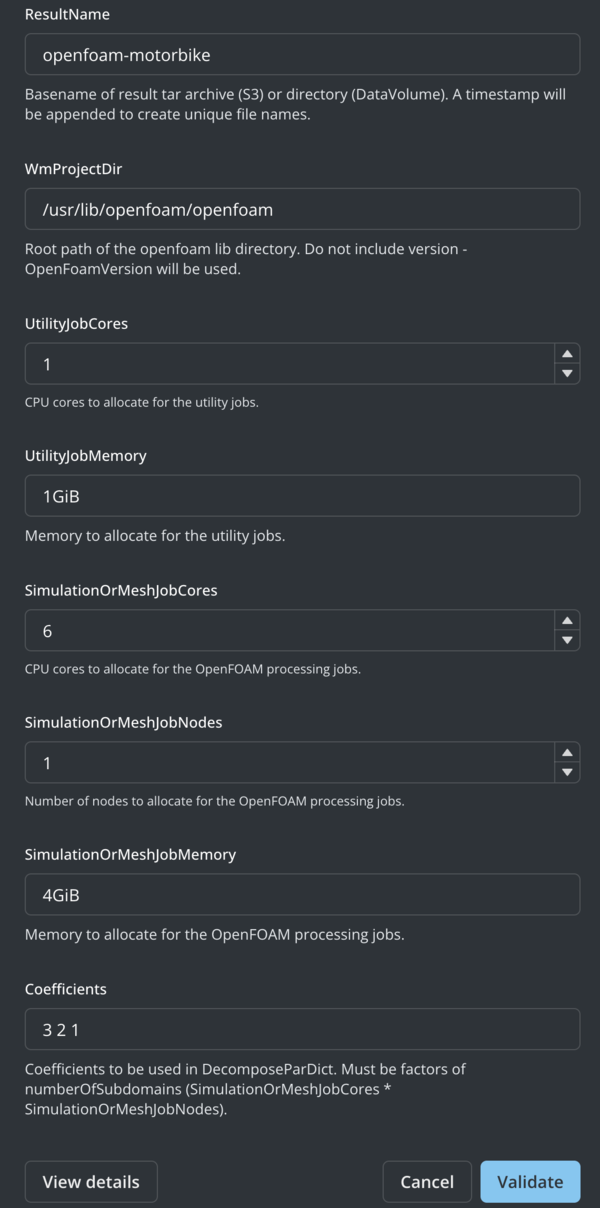
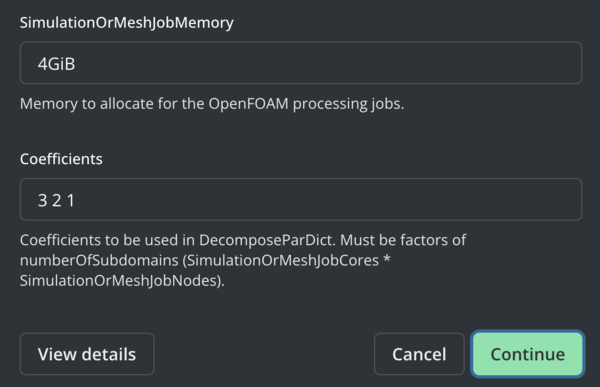
If you keep all the default options, you will run the OpenFOAM motorbike tutorial workflow with 1 CPU core for the utility steps, 6 Cores for the parallel steps, results saved to a persistent volume (but not S3), and a Paraview server started at the end. Click "Validate" to check the options you provided against the workflow template. If there were no errors "Validate" will be replaced by "Continue"
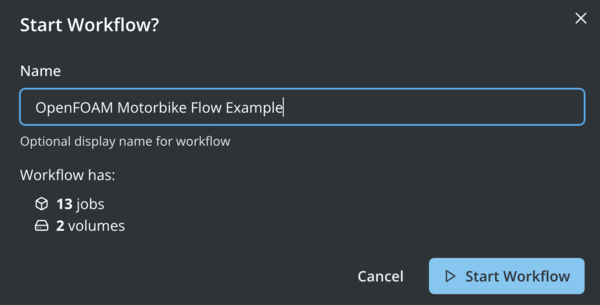
After clicking "Continue" you will be prompted in a dialog box to "Start Workflow" to submit the Fuzzfile rendered from the workflow template and your inputs. At this stage you can modify the name of the run or accept the defaults.
Once the workflow has been submitted successfully, you can select "Go to status" to view the status of the workflow's stages
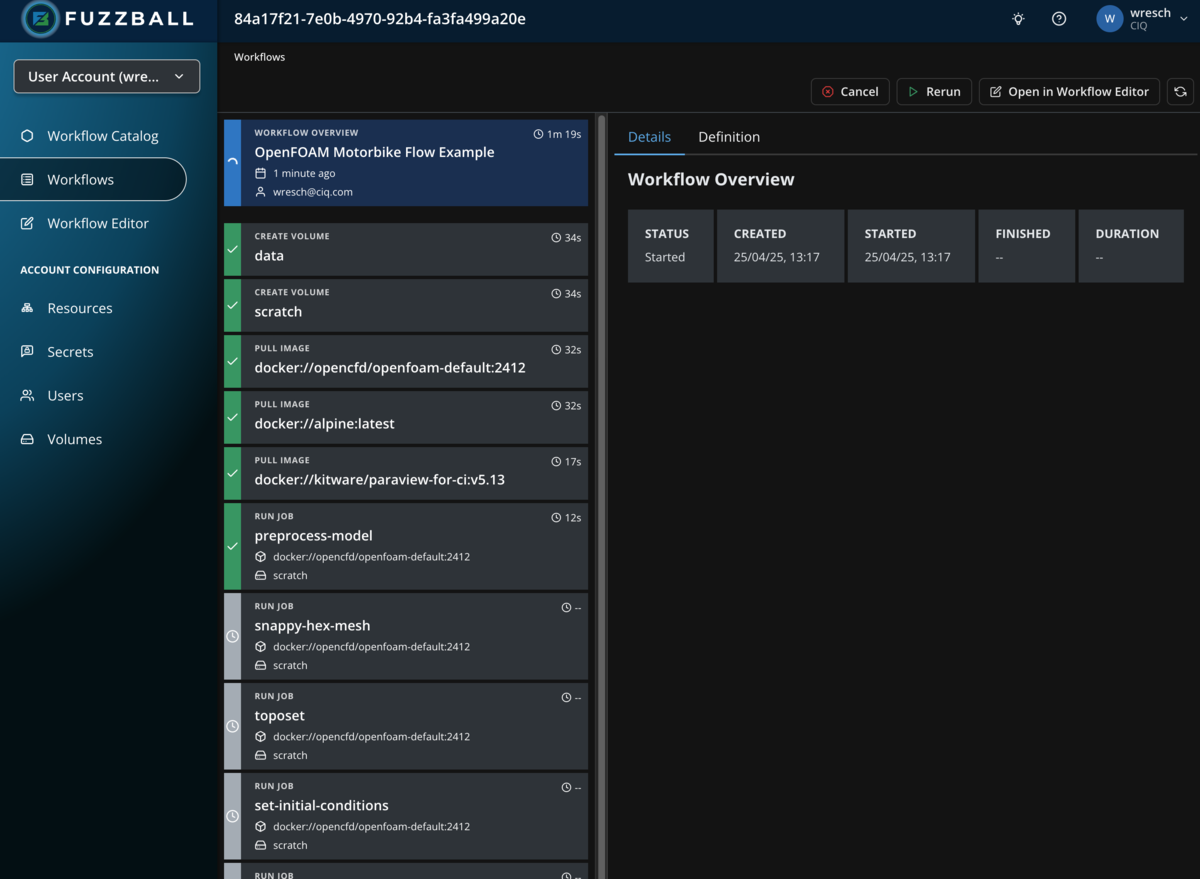
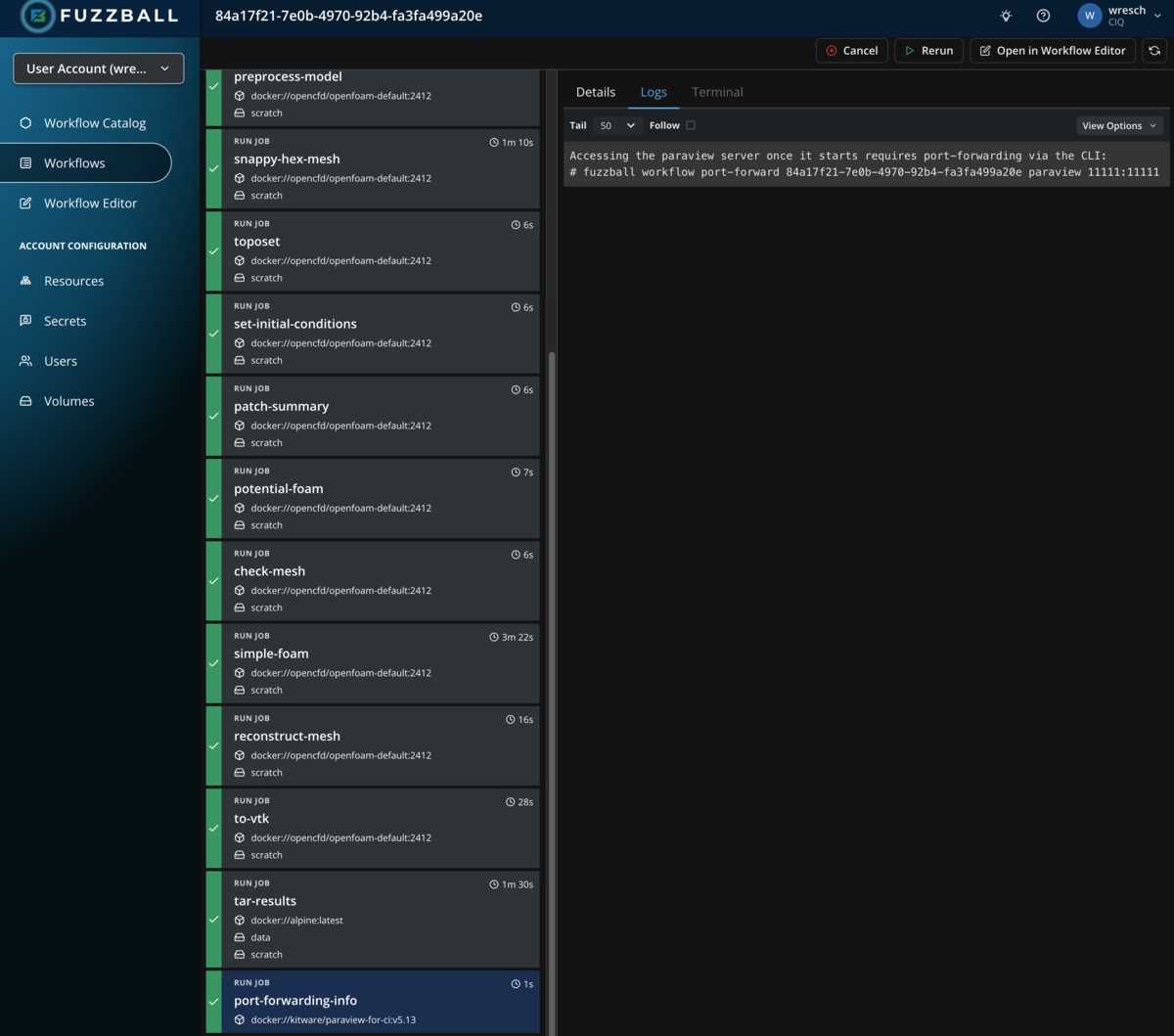
Select a stage that produces output and choose the "Logs" tab to see the output generated by the
stage as we did in an
earlier example
with a manually written workflow. In the example below, we are looking at the output of the
optional port-forwarding-info step that shows you the command needed to set up port
forwarding required to connect to the Paraview server running as a Fuzzball job with your local
Paraview client:
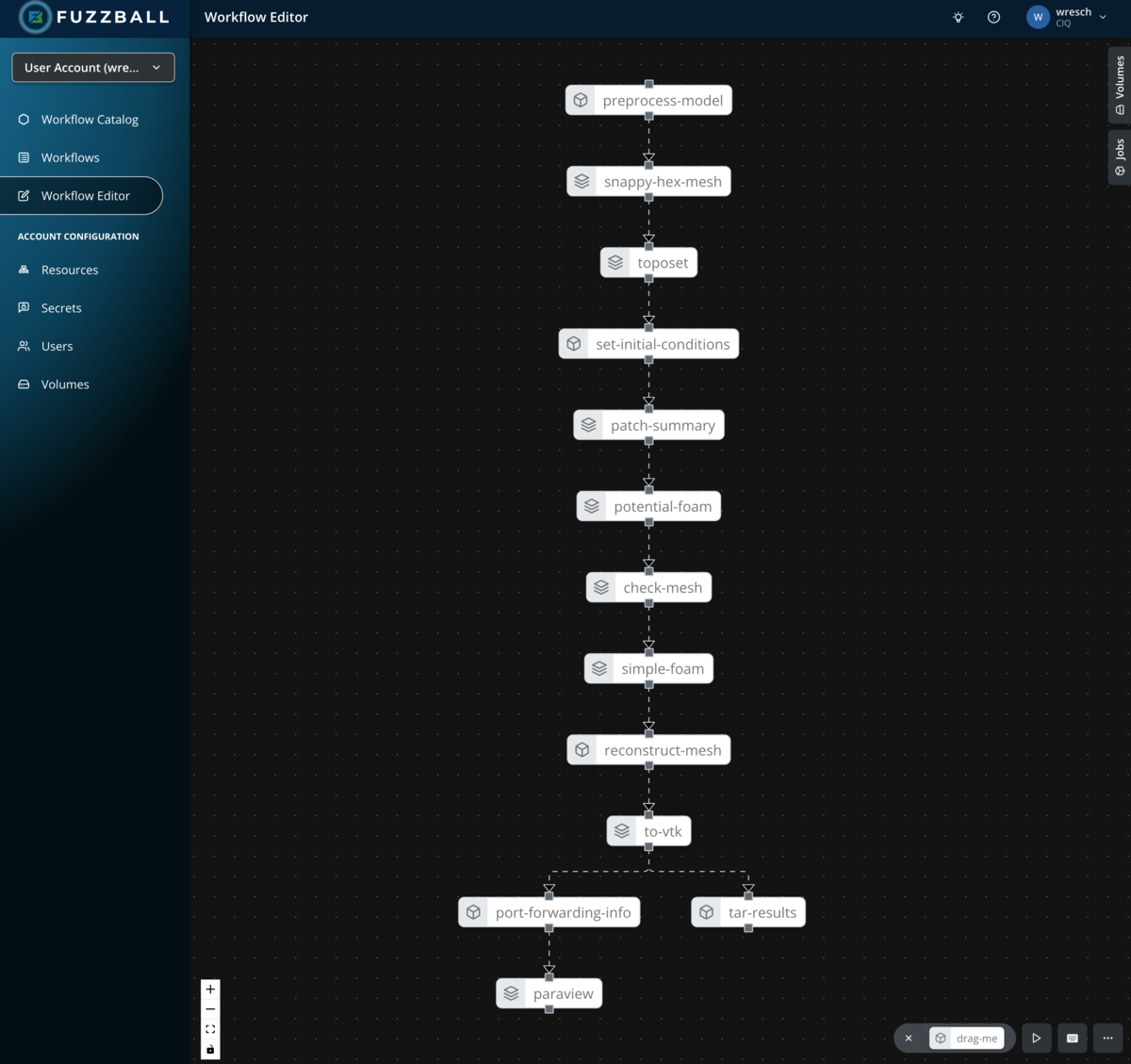
By clicking on "Open in Workflow Editor" in the top right corner, you can open the Fuzzfile generated from the template and your inputs in the workflow editor. In the example above the graph of jobs looks like so:
To run this workflow through the CLI you will need access to the Fuzzball CLI. You can install it using the Fuzzball CLI installation instructions.
When using the CLI to execute workflow templates from the workflow catalog, you need to supply parameters in the form of a YAML file. For the OpenFoam motorbike workflow you can create this file like so:
$ cat > motorbike.yaml <<EOF
values:
  - name: OpenFoamVersion
    string_value: "2412"
  - name: OpenFoamContainerUri
    string_value: docker://opencfd/openfoam-default
  - name: ParaviewContainerUri
    string_value: ""
  - name: DataVolume
    string_value: volume://user/persistent
  - name: S3Bucket
    string_value: ""
  - name: ResultPath
    string_value: "results/openfoam"
  - name: ResultName
    string_value: openfoam-motorbike
  - name: WmProjectDir
    string_value: /usr/lib/openfoam/openfoam
  - name: UtilityJobCores
    uint_value: 1
  - name: UtilityJobMemory
    string_value: 1GiB
  - name: SimulationOrMeshJobCores
    uint_value: 6
  - name: SimulationOrMeshJobNodes
    uint_value: 1
  - name: SimulationOrMeshJobMemory
    string_value: 4GiB
  - name: Coefficients
    string_value: 3 2 1
EOF
Note that we elected not to start a Paraview server by leaving ParaviewContainerUri blank and
not to save results to S3 by leaving S3Bucket blank. That means we can omit parameters needed
only for those steps.
Next you need to obtain the ID of the OpenFoam workflow template. That can be done in a few different ways. For example:
$ fuzzball workflow-template list
NAME                           | ID                                   | OWNER    | PROVIDER | UPDATETIME            | DISABLED
SomeApp                        | 1767f241-c9ad-44ae-a2b6-e1edbf00770d | ACCOUNT  |          | 2025-04-21 04:38:09PM | false
...
LAMMPS (GPU)                   | 00000007-aaaa-bbbb-cccc-dddddddddddd | PROVIDER | CIQ      | 2025-03-06 08:00:00PM | false
BLAST                          | 00000008-aaaa-bbbb-cccc-dddddddddddd | PROVIDER | CIQ      | 2025-03-06 08:00:00PM | false
OpenFOAM Motorbike Flow Example| 00000009-aaaa-bbbb-cccc-dddddddddddd | PROVIDER | CIQ      | 2025-03-06 08:00:00PM | false

$ id="$(fuzzball workflow-template list | awk -F'|' '$4 ~ /CIQ/ && $1 ~ /OpenFOAM Motorbike/{print $2}' | tr -d ' ')"
Of if you have jq installed you could make use of the option to return json format metadata about
all templates as shown below:
$ id=$(fuzzball workflow-template list --json | jq -r '.applications[] | select(.name == "OpenFOAM Motorbike Flow Example" and .provider=="CIQ") | .id')
Or you can copy and paste the workflow template id instead of assigning it to a variable. Once you have the id of the workflow template and a values file you can use them to create a Fuzzfile for submission like so:
$ fuzzball workflow-template render-template $id motorbike.yaml | awk '/^version/{p=1} p==1' > motorbike.fz

$ head motorbike.fz
version: v1
volumes:
  scratch:
    reference: volume://user/ephemeral
  data:
    reference: volume://user/persistent

jobs:
  preprocess-model:
    image:
Note that we used awk to remove any content above the initial version line in case there were any
lines at the top.
The Fuzzfile is then submitted and monitored as described previously like so:
$ fuzzball workflow start motorbike.fz
Workflow "a03c9a93-8dd5-47db-8fce-ad212029714b" started.

$ fuzzball workflow describe a03c9a93-8dd5-47db-8fce-ad212029714b
Name:      motorbike.fz
Email:     wresch@ciq.com
UserId:    87145648-b830-4291-ab7e-40880d61334e
Status:    STAGE_STATUS_STARTED
Cluster:   fuzzball-aws-stable
Created:   2025-04-29 08:59:14AM
Started:   2025-04-29 08:59:15AM
Finished:  N/A
Error:


Stages:
KIND     | STATUS   | NAME                                   | STARTED               | FINISHED
Workflow | Started  | a03c9a93-8dd5-47db-8fce-ad212029714b   | 2025-04-29 08:59:14AM | N/A
Volume   | Finished | data                                   | 2025-04-29 08:59:15AM | 2025-04-29 08:59:44AM
Volume   | Finished | scratch                                | 2025-04-29 08:59:15AM | 2025-04-29 08:59:43AM
Image    | Finished | docker://opencfd/openfoam-default:2412 | 2025-04-29 08:59:16AM | 2025-04-29 08:59:43AM
Image    | Finished | docker://alpine:latest                 | 2025-04-29 08:59:15AM | 2025-04-29 08:59:42AM
Job      | Finished | preprocess-model                       | 2025-04-29 09:00:13AM | 2025-04-29 09:00:29AM
Job      | Finished | snappy-hex-mesh                        | 2025-04-29 09:02:49AM | 2025-04-29 09:03:59AM
Job      | Finished | toposet                                | 2025-04-29 09:06:15AM | 2025-04-29 09:06:23AM
Job      | Finished | set-initial-conditions                 | 2025-04-29 09:06:47AM | 2025-04-29 09:06:54AM
Job      | Finished | patch-summary                          | 2025-04-29 09:09:13AM | 2025-04-29 09:09:19AM
Job      | Finished | potential-foam                         | 2025-04-29 09:11:40AM | 2025-04-29 09:11:48AM
Job      | Pending  | check-mesh                             | N/A                   | N/A
Job      | Pending  | simple-foam                            | N/A                   | N/A
Job      | Pending  | reconstruct-mesh                       | N/A                   | N/A
Job      | Pending  | to-vtk                                 | N/A                   | N/A
Job      | Pending  | tar-results                            | N/A                   | N/A

$ fuzzball workflow log a03c9a93-8dd5-47db-8fce-ad212029714b toposet
/*---------------------------------------------------------------------------*\
| =========                 |                                                 |
| \\      /  F ield         | OpenFOAM: The Open Source CFD Toolbox           |
|  \\    /   O peration     | Version:  2412                                  |
|   \\  /    A nd           | Website:  www.openfoam.com                      |
|    \\/     M anipulation  |                                                 |
\*---------------------------------------------------------------------------*/
Build  : _45e7c4a0-20241224 OPENFOAM=2412 version=2412
Arch   : "LSB;label=32;scalar=64"
Exec   : topoSet -parallel
Date   : Apr 29 2025
Time   : 13:06:20
Host   : toposet
PID    : 18
I/O    : uncollated
Case   : /scratch/openfoam-motorbike-1745931477
nProcs : 6
Hosts  :
(
    (toposet 6)
)
Pstream initialized with:
    floatTransfer      : false
    maxCommsSize       : 0
    nProcsSimpleSum    : 0
    nonBlockingExchange: 0 (tuning: 0)
    exchange algorithm : 0
    commsType          : nonBlocking
    polling iterations : 0
trapFpe: Floating point exception trapping enabled (FOAM_SIGFPE).
fileModificationChecking : Monitoring run-time modified files using timeStampMaster (fileModificationSkew 5, maxFileModificationPolls 20)
allowSystemOperations : Allowing user-supplied system call operations
// * * * * * * * * * * * * * * * * * * * * * * * * * * * * * * * * * * * * * //
Create time
Create polyMesh for time = 0
Reading topoSetDict
Time = 0
    mesh not changed.
Created cellZoneSet inner
    Applying source boxToCell
    Adding cells with centre within boxes 1((-1 -0.5 0) (6 0.5 2))
    cellZoneSet inner now size 253116
End
Finalising parallel run