Adding Users to Groups
In order to add users to a group, you will need organization owner or group owner permissions. Users can be added to a group using either the web UI or the CLI. Follow the instructions for your preferred method below.
Please select either the web UI or CLI tab to see the appropriate instructions for your environment.
Prerequisites
Before adding users to groups via the web UI, ensure you have:
- Organization owner or group owner permissions
- Users already added to the organization (see Adding Users to Organizations)
Adding Users to Groups
-
Log into your Fuzzball UI as an organization owner or group owner
-
Click on the Gear icon in the top right of the dashboard header and select Manage organization

-
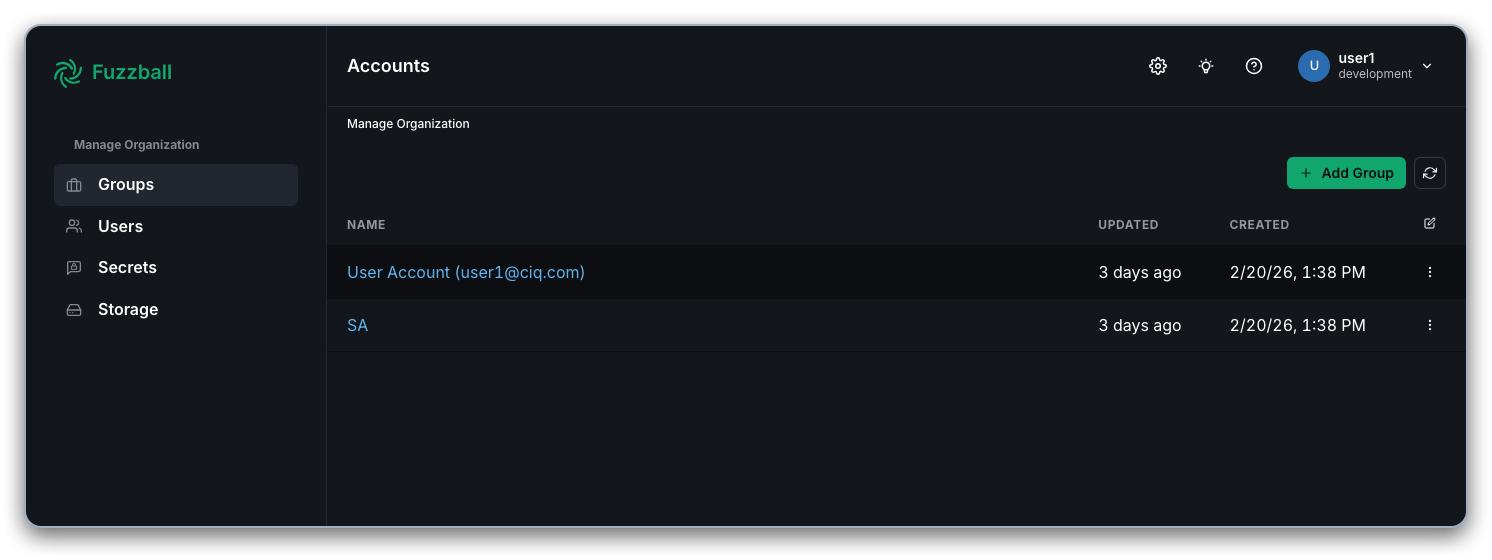
Navigate to the Groups section in the left toolbar
-
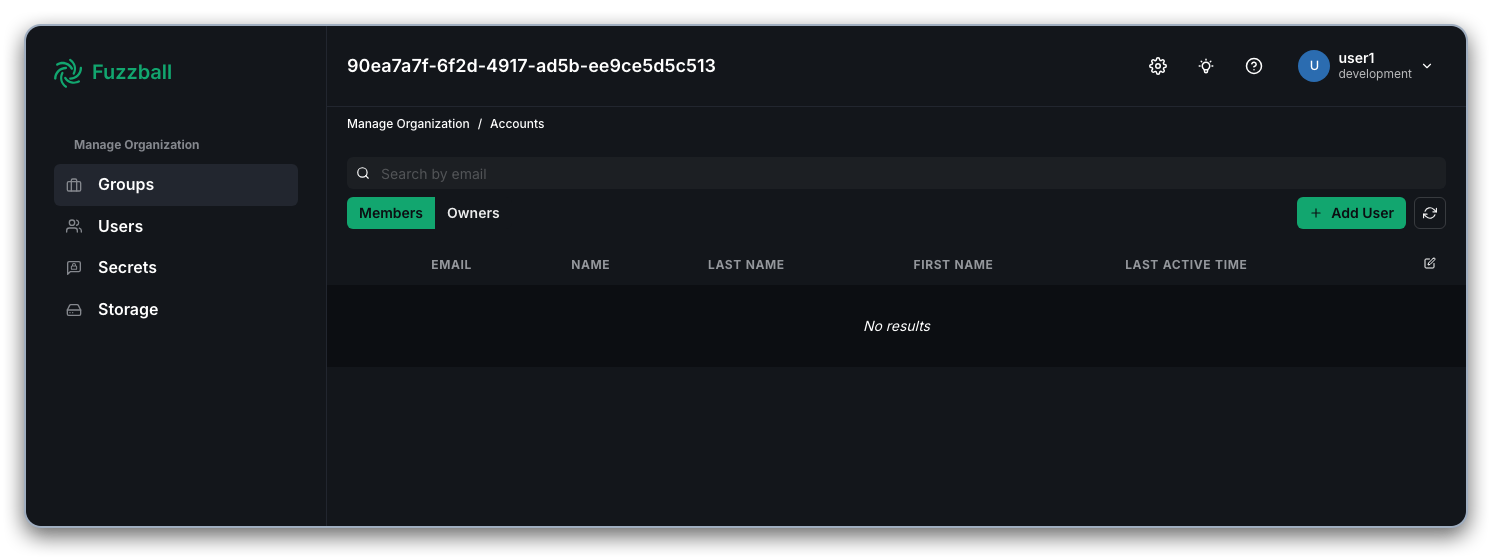
Select the SA group from the list
-
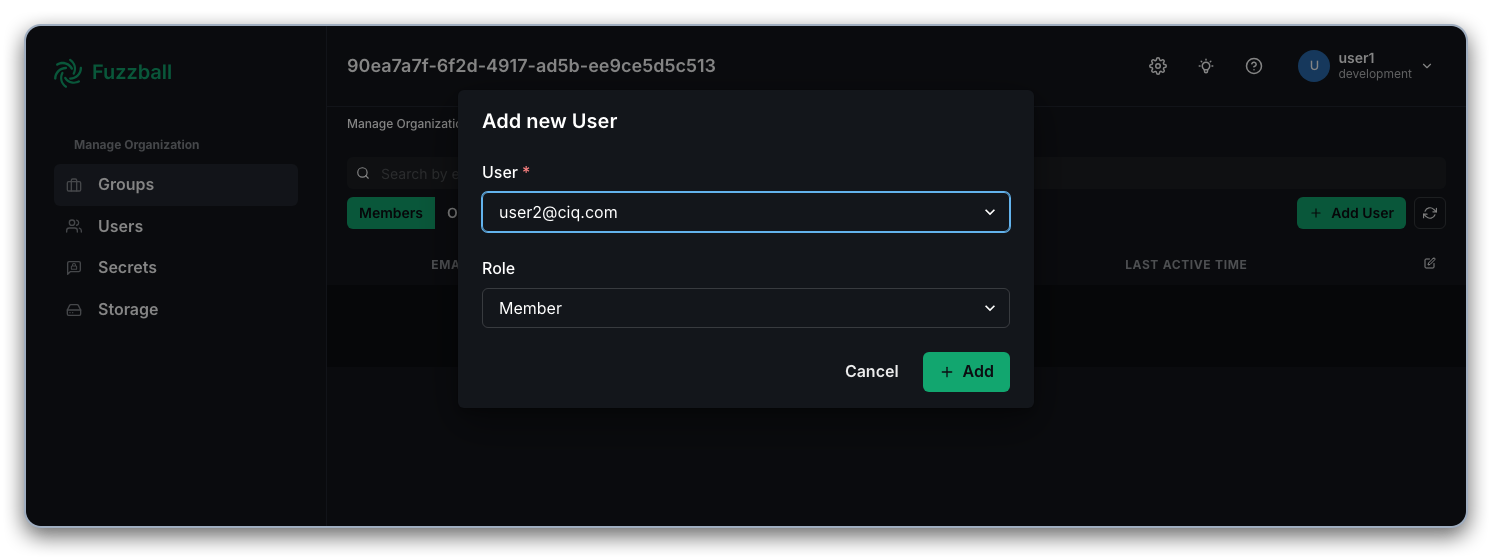
Click Add User - users that are already part of the organization will be available in the dropdown menu. Select the user and choose their role (Member or Owner), then click Add
-
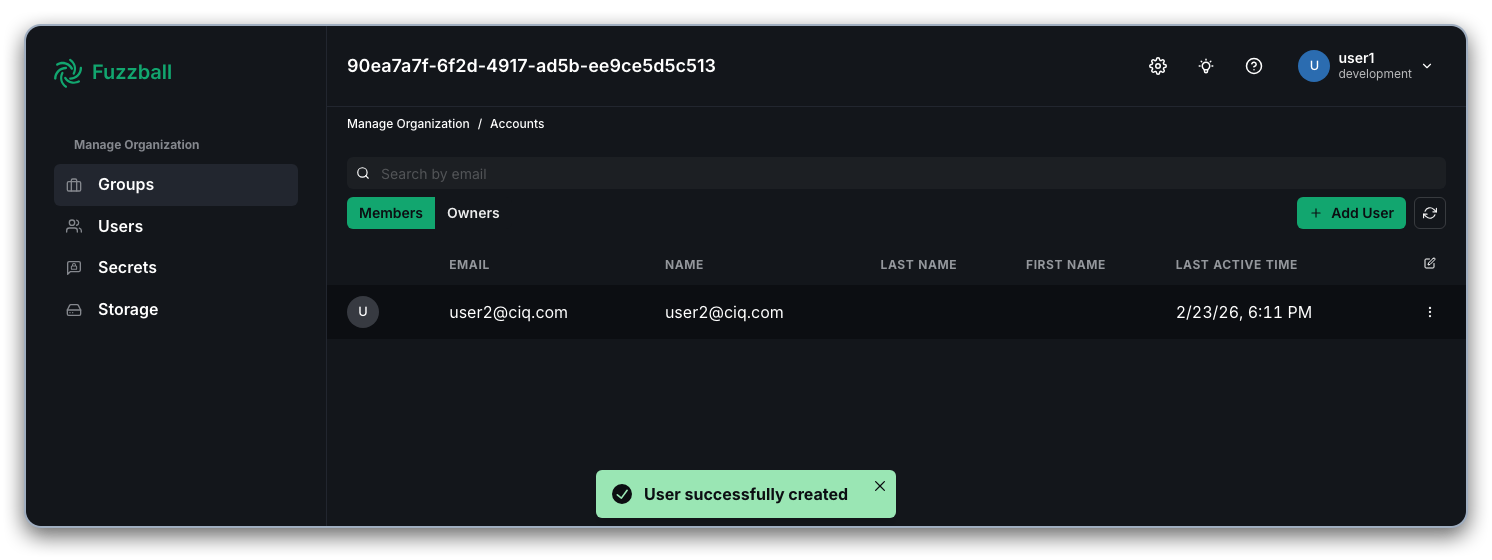
After adding the user to the group the user will appear in the appropriate tab for the group (Members in our example)
Prerequisites
- Users already added to the organization (see Adding Users to Organizations)
- Organization owner or group owner permissions
- Fuzzball CLI with a context configured for the admin user
- User ID of the user to add and group ID
Getting Required Information
Getting the Group ID
To obtain the group ID, use the Fuzzball group CLI subcommand list:
$ fuzzball group list
SELECTED | ID                                   | NAME
         | 06559942-1f88-4c99-93c5-2dfb1537d355 | admin@ciq.com
    *    | 2ec072f6-7ab2-42fc-acce-5fc0912ce3b0 | default
         | 324fe14b-1008-4c2d-8e07-e7136c7db38f | SA
Getting the User ID
To obtain the user ID, use the organization member list subcommand (add --owner to list
organization owners only):
$ fuzzball organization member list
ID                                   | EMAIL
333360aa-c5e4-40e0-8064-f6ac7aa012ab   user2@ciq.com
dc7b2584-9895-4d9d-8a49-c8b90f9d726b   user4@ciq.com
The user can also be referenced by email directly in the add commands below — the UUID is shown
here for completeness.
Adding Users as Group Owners
To add a user as a group owner, use group member add --owner. The user (email or UUID) is
provided as an argument and the group (name or UUID) with the --group flag:
# By email — readable and what you'll usually have on hand:
$ fuzzball group member add --owner user2@ciq.com --group SA
Added owner: user2@ciq.com to group: 324fe14b-1008-4c2d-8e07-e7136c7db38f

# By UUID — equivalent, useful in scripts that already carry IDs:
$ fuzzball group member add --owner 333360aa-c5e4-40e0-8064-f6ac7aa012ab \
    --group 324fe14b-1008-4c2d-8e07-e7136c7db38f
Added owner: user2@ciq.com to group: 324fe14b-1008-4c2d-8e07-e7136c7db38f
Adding Users as Group Members
To add a user as a group member, use group member add. Same identifier rules as above:
# By email
$ fuzzball group member add user4@ciq.com --group SA
Added member: user4@ciq.com to group: 324fe14b-1008-4c2d-8e07-e7136c7db38f

# By UUID
$ fuzzball group member add dc7b2584-9895-4d9d-8a49-c8b90f9d726b \
    --group 324fe14b-1008-4c2d-8e07-e7136c7db38f
Added member: user4@ciq.com to group: 324fe14b-1008-4c2d-8e07-e7136c7db38f