Configuration of Ascender
Overview
Ascender Ledger Pro is designed to parse logs from AWX derivatives, thus each Ascender server must be configured to send its logs to ALP.
Configure Log Export
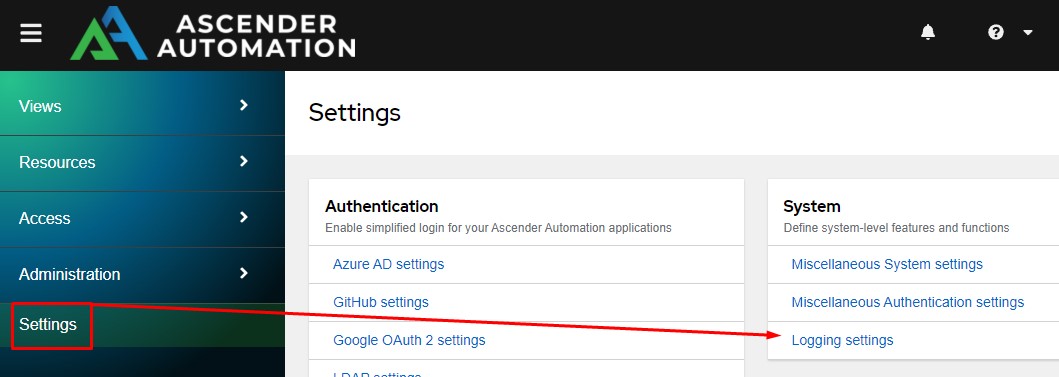
Begin by going to Settings and choose Logging Settings:
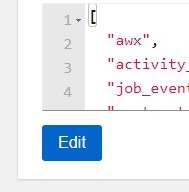
From here click the Edit button at the bottom:
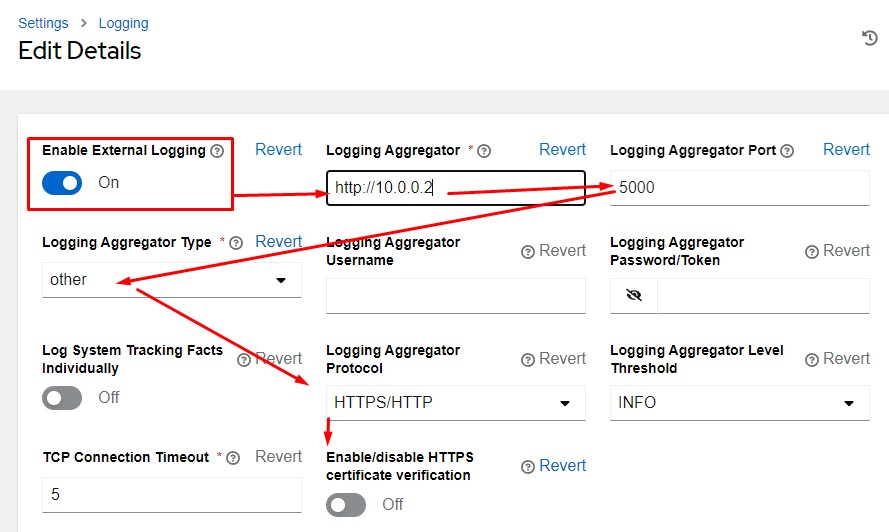
From here you need to make several changes following the numbers below. You won't be able to save the External Logging until the URL is set. So, following the order is important:
- Logging Aggregator:
http://IPorDomainNameOfALP - Logging Aggregator Port: 5000 by default
- Logging Aggregator Type: other or ledger
- Logging Aggregator Protocol: HTTPS/HTTP
- Logging Aggregator Password/Token: Obtain this from Ascender Ledger Pro
- Enable/disable HTTPS certificate verification: Off
- Enable External Logging: On
The other settings are optional, or can be set to your liking.
Configure Ascender Ledger Pro To Accept Logs
If you are using Ascender Ledger Pro 25.0, you have the option to require the Authentication Token provided by Ascender Ledger Pro. However, if you are using an AWX equivalent, you might want to consider using Ascender Ledger Pro. By default, if you do not require the Ascender Ledger Pro token, Ascender systems will automatically be added and approved for making uploads to Ascender Ledger Pro.